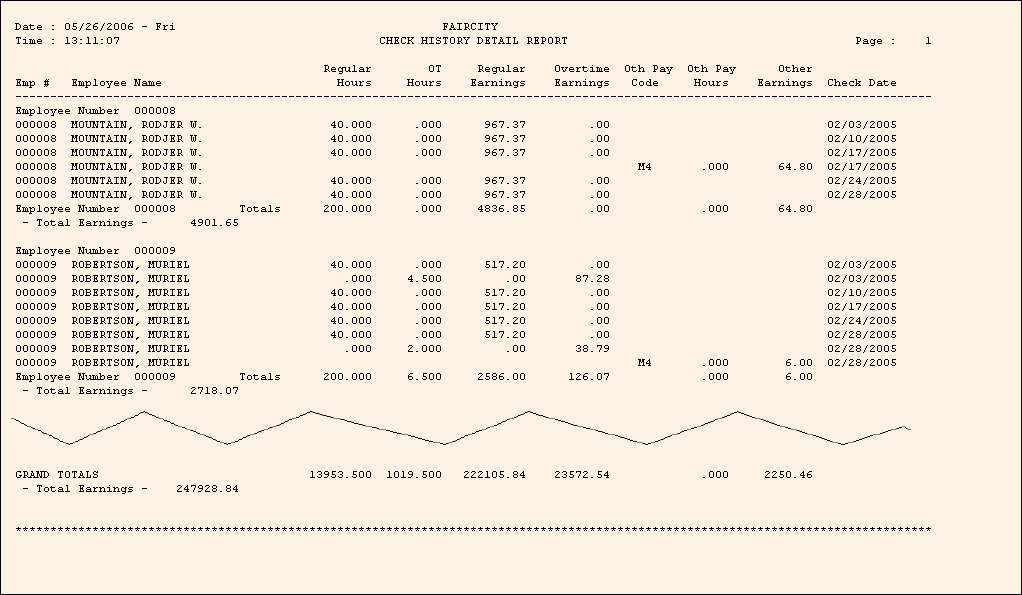
Check History Detail Report Sample
Tips:
To see instructions for running the report shown below, see the Check History Detail Report Instructions.
Other check history reports:
To see descriptions of the report fields, click More.
|
Check History Detail Report Fields Tip: To see more information about a field, click the hyperlink for the field name. | |
|
Employee Number | |
|
Employee Name |
|
|
Regular Time | |
|
Overtime Time | |
|
Regular Earnings | |
|
Overtime Earnings | |
|
Other Pay Code | |
|
Other Pay Time | |
|
Other Pay Earnings | |
|
Check Date | |
|
Total Earnings |
Total amounts and hours for each employee |
|
Grand Totals |
Total amounts and hours for the report |
|
Selection Parameters for this Report Sample: |
|
|
Run Code = 1 - Town Employees |
Report Type = 3 - Regular / Overtime & Other Pay |
|
Report Writer Check Date Range = 02/01/2005 - 02/28/2005 |
Page Width = 132 Columns |
