Opening the Build W-2 PERS Master Records, click More.
-
Click Payroll from the Menu Bar.
-
Click Government Reports.
-
Click MSR Magnetic Filing.
-
Click MSR Magnetic Filing Year End Menu.
-
Click Build W-2 PERS Master Records.
Tip: Or, use the keyboard shortcut: [ALT] [e] [g] [m] [y] [b].
Build W-2 PERS Master Records Window Example:
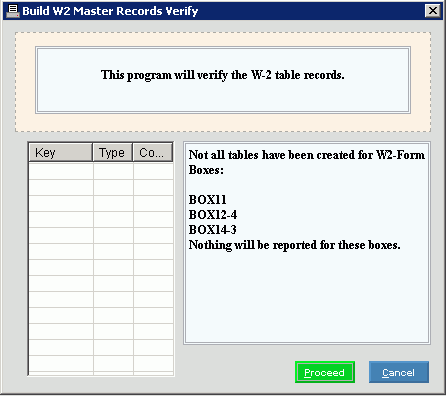
Choosing the selections at the prompt window, click More.
|
Build W-2 PERS Master Records Prompt Options Tip: To see more information about a field, click the hyperlink for the field name. | |
|
|
To run the routine, click Proceed or press [ENTER]. Keyboard shortcut: [ALT + p] |
|
|
To escape from the routine:
|


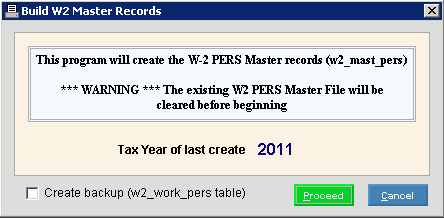
After clicking Proceed, the following window displays:
|
Build W-2 PERS Master Records Prompt Options Tip: To see more information about a field, click the hyperlink for the field name. | |
|
Tax Year of last create ccyy |
Displays the tax year of the last create for your reference. Note: Confirm that the displayed Tax Year is the correct year before proceeding with the routine. |
|
Create backup (w2_work_pers table) |
To maintain a backup file called w2_work_PERS table, click to select the box. To omit maintaining a backup file, click to de-select the box. |
|
|
To run the routine after confirming the Tax Year is correct, click Proceed or press [ENTER]. Keyboard shortcut: [ALT + p] |
|
|
To escape from the routine:
|
|
Processing |
Displays information pertaining to the various phases of the Build W-2 PERS Records routine to guide you.
|
|
|
To close the Build W-2 PERS Records routine when Process Complete displays and the routine is finished, click Done. Keyboard shortcut: [ALT + d] |
 Important:
