Opening Loan Type Maintenance, click More.
1. Click Processes from the Menu Bar.
2. Click Loans.
3. Click Loan Type Maintenance.
Tip: Or, use the keyboard shortcut: [ALT] [p] [l] [l] [t].
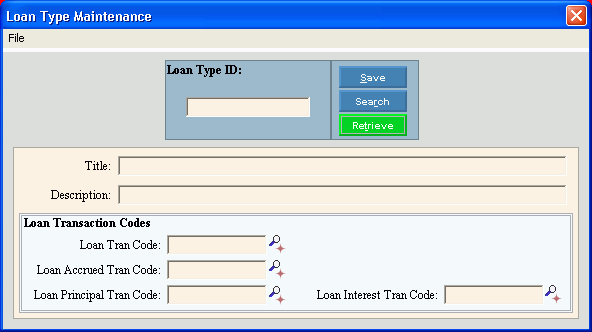
Loan Type Maintenance Window Example:
Creating a New Loan Type, click More.
To create a new record choose one of these methods:
-
Enter the new Loan Type ID and click Retrieve
 , or press [ENTER].
Keyboard shortcut: [ALT + t] -
Or, enter the new Loan Type ID and click File from the Menu Bar; next click New.
Keyboard shortcut: [ALT] [f] [n]
Tip: To indicate that you are building a new Loan Type, New  displays near the Loan Type ID. Default entries display and the first field is highlighted to let you know you can begin entering information.
|
Loan Type Maintenance Prompts Tip: To see more information about a field, click the hyperlink for the field name. |
|
|
Enter the unique identification to be assigned to the loan information. (up to 5 characters) |
|
|
|
To update the new or changed information, click Save or press [ENTER]. Keyboard shortcut: [ALT + s] |
|
To avoid losing data, you must save new or changed records. |
|
|
|
To view all of the existing Loan Types, click Search. From the Search list you can select the record to change or delete. Keyboard shortcut: [ALT + r] |
|
|
To display an existing Loan Type, enter the Loan Type ID and click Retrieve, or press [ENTER]. Keyboard shortcut: [ALT + t] |
|
Enter the title of the type of loan. (up to 20 characters) |
|
|
Enter the full description of the type of loan. (up to 40 characters) |
|
|
Loan Transaction Codes |
|
|
Loan Trans Code |
Enter the transaction code for generating new loan transactions. (3.0 numeric) Notes:
|
|
Loan Accrued Tran Code |
Enter the transaction code for accruing simple type of interest for the loans, if applicable. (3.0 numeric) Tips:
|
|
Loan Principal Tran Code |
Enter the transaction code for generating loan principal transactions for this type of loan. (3.0 numeric) Tips:
|
|
Loan Interest Tran Code |
Enter the transaction code for generating straight loan interest for this type of loan, if applicable. (3.0 numeric) Tips:
|
 or press
  or press
Editing an Existing Loan Type, click More.
 CAUTION: To avoid losing data, you must save new or changed records.
1. To display the record to be changed, enter the Loan Type ID and click Retrieve , or press [ENTER].
Keyboard shortcut: [ALT + t]
Tip: If you do not know the Loan Type ID, you can click Search  to see a list of Loan Types.
2. To position the pointer to the information that you want to change, press [TAB] or click the field using the mouse.
3. Enter the data changes.
4. To complete the edit process, click Save  , or press [ENTER].
Keyboard shortcut: [ALT + s]
Deleting an Existing Loan Type, click More.
1. To display the record to be deleted, enter the Loan Type ID and click Retrieve , or press [ENTER].
Keyboard shortcut: [ALT + t]
Tip: If you do not know the Loan Type ID, you can click Search to see a list of Loan Types.
2. Click File from the Menu Bar, and next click Delete.
Keyboard shortcut: [ALT] [f] [d]
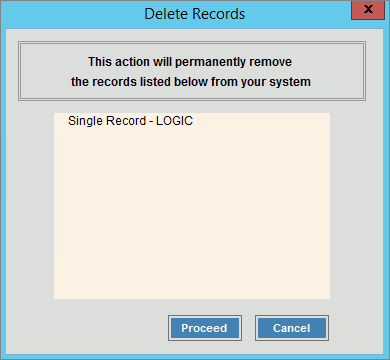
3. At the Delete Records prompt, click Proceed to delete the record, or click Cancel to escape from the delete routine.
Example:
Note: After you click Proceed, you will see the following message on the Status Bar.

