Opening the Employee Pay Distribution Window, click More.
1. Open Employee Master Maintenance.
2. Click Pay
Distribution in the Menu
Tree.
Keyboard shortcut: [ALT
+ d]
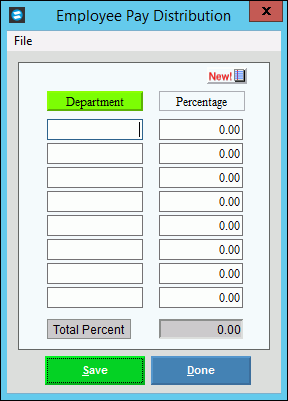
Employee Master Maintenance - Employee Pay Distribution Window example:
Adding/Editing Employee Pay Distributions, click More.
Employee Pay Distribution Window Prompts Tip: To see more information about a field, click the hyperlink for the field name. |
|
|
(1 - 8) |
Enter the Department Number for the distribution. (8.0 numeric) Notes:
|
|
(1-8) |
Enter the percent of hours and pay to be distributed to the associated Department Number. (3.2 numeric) Note: The sum of all of the percents in the list must equal 100.00%. |
Total Percent |
Displays the sum of all the percents in the list, which must equal 100.00% to complete the distribution. (3.2 numeric) |
|
To update the new or changed information, click Save, or press [ENTER]. Keyboard shortcut: [ALT + s] |
To avoid losing data, you must save new or changed Pay Distribution information. |
|
|
To return to the main Employee Master Maintenance window, click Done. Keyboard shortcut: [ALT + d] |

 CAUTION
Removing Pay Distribution for an Employee, click More.
1. To display the record to be deleted, open the Employee Pay Distribution window.
2. Click File
from the Menu Bar,
and next click Delete.
Keyboard shortcut: [ALT]
[f] [d]
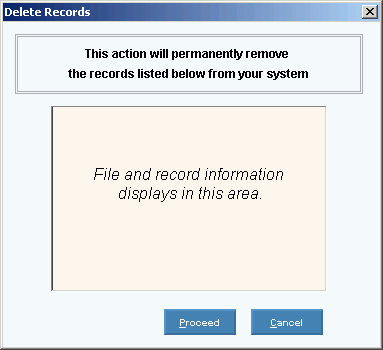
3. At the Delete Records
prompt, click Proceed
to delete the record, or click Cancel
to escape from the delete routine.
Example:
Note: After you click Proceed,
you will see the following message on the Status
Bar.

